|
Use Basic Auth
2015/05/25 |
|
Enable Basic Authentication to limit access on specific web pages.
|
|
| [1] | For example, set Basic Auth under the [/var/www/html/auth-basic] directory. |
|
root@www:~#
root@www:~# apt-get -y install apache2-utils mkdir /var/www/html/auth-basic
root@www:~#
vi /etc/apache2/sites-available/auth-basic.conf # create new
<Directory /var/www/html/auth-basic>
    AuthType Basic
    AuthName "Basic Authentication"
    AuthUserFile /etc/apache2/.htpasswd
    require valid-user
</Directory>
# add a user ( create a new file with "-c" ⇒ only add "-c" at the first time. Do not add it 2nd time to add users. ) root@www:~# htpasswd -c /etc/apache2/.htpasswd ubuntu New password: # set password Re-type new password: # confrim Adding password for user ubuntu a2ensite auth-basic Enabling site auth-basic. To activate the new configuration, you need to run: service apache2 reload
root@www:~#
systemctl restart apache2
# create a test page
root@www:~#
vi /var/www/html/auth-basic/index.html <html> <body> <div style="width: 100%; font-size: 40px; font-weight: bold; text-align: center;"> Test Page for Basic Auth </div> </body> </html> |
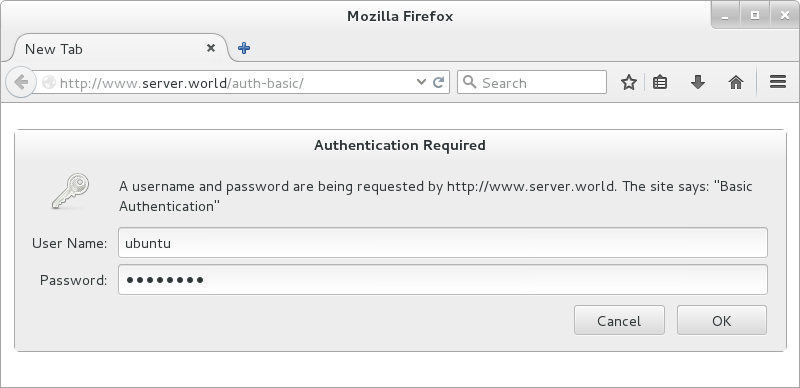
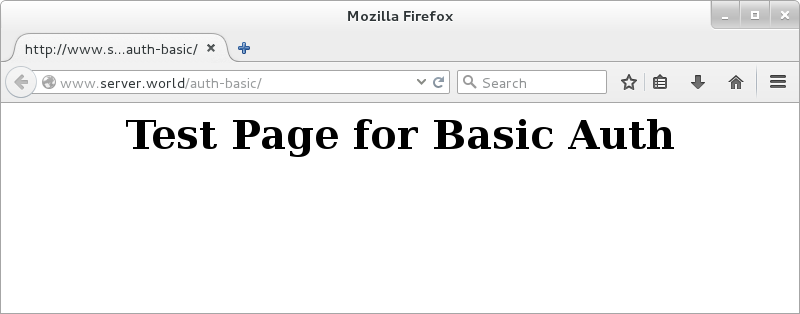
| Access to the test page with a Web browser on Client and authenticate with a user which is added with htpasswd. |
|
| Just accessed. |
|